GA4's Task Assistant Won't Find the Silent Misconfigs Hitting 73% of Properties

Google Analytics shipped Task Assistant on April 29, 2026, replacing the old Setup Assistant with a six-category guided checklist that walks Administrators, Editors, and Marketers through GA4 configuration. The new tool only catches missing setup, not silent misconfigurations. A March 2026 audit found 73% of GA4 properties had quiet tracking errors that produced wrong numbers without throwing a single warning.
What Task Assistant actually does
The feature shows up as a left-nav addition that organizes GA4 configuration into six recommendation categories: Get started (data collection, Google Signals, key events, audiences, enhanced measurement, privacy settings), Connect your accounts, Enhance your reporting, Optimize your advertising, Add first-party data (User-ID, measurement protocol, user-provided data, imports), and Fix data issues (deep link resolution, spam exclusion, misconfiguration fixes). You can expand each category to start the setup process or skip tasks that don't apply to your business.
It is not a chat interface. It is not Gemini wired into GA4. Search Engine Land's coverage framed it as a guided workflow, and that's the right read. Think of it as GA4's checklist mode with a tidier UI and a wider scope than the old Setup Assistant covered.
One quiet detail matters more than the launch itself: only Administrators, Editors, and Marketers can see Task Assistant. Analyst and Viewer roles get nothing. That role gate is doing more work than Google is saying, and I'll come back to it.
The thing it doesn't fix is the thing actually breaking your reports
Setup-assistant style tools find what you haven't done. They don't find what you did wrong.
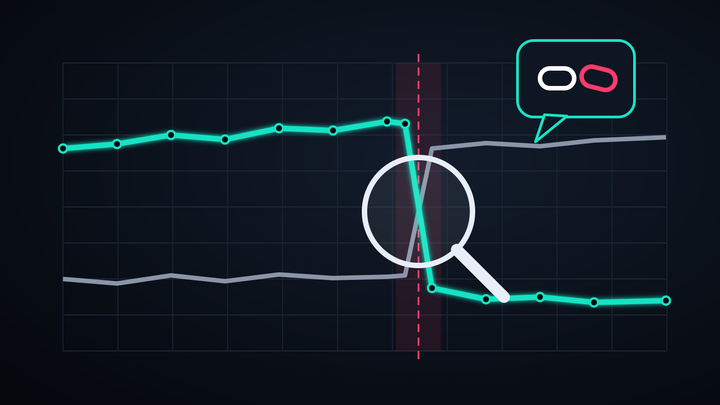
That's the gap I keep running into when GA4 is the topic. Seresa's March 2026 review put 73% of GA4 implementations in the "silent misconfiguration" bucket, meaning no error messages, no red flags in the dashboard, just wrong data flowing into every report someone uses to make decisions. Separately, the same review pegged migration failures from custom event configuration issues at 81%.
The dollar version of this looks ugly. A WooCommerce-focused audit found that GA4 underreports actual revenue on a typical SMB store by somewhere between 15% and 50%. None of those properties are missing setup. They all "passed." The conversions are firing. The events are flowing. The numbers are still wrong.
Task Assistant doesn't help you find any of that, because the property looks complete from the configuration side. The errors live one layer down: in event payloads, deduplication, server-side proxying, consent mode handshakes, cross-domain cookie behavior. Things a checklist can't see.
And the gap matters more in 2026 than it did a year ago. Consent mode v2 changed how missing or denied consent gets modeled, server-side GTM stacks have multiplied the places an event can break, and AI-driven crawler traffic now lands inside conversion paths in ways the original GA4 spec never planned for. Properties that looked clean in early 2025 can be quietly producing skewed numbers today without a single setup task left undone.
Why a checklist can't catch what a checklist can't see
A binary "you did this / you didn't" tool can't read intent. It can confirm that you have key events marked. It can't validate that the events you marked are the right ones, or that the parameters they fire with are what your reports actually assume. That distinction is where most misconfigurations live.
Three examples that pass setup checks and quietly break data:
- Duplicate purchase events. A purchase event firing once from GTM and once from a server-side container. The setup wizard sees one event mapped as a key event. The reports see double the revenue.
- Cross-domain tracking with bad config. Cross-domain measurement is "set up" because a domain is listed. But if the linker parameter isn't being passed correctly, sessions still fragment. Looks healthy, reads broken.
- Item-level fields the analysis layer ignores. Item parameters set without matching the report use case. Conversions count fine. Revenue per item shows empty.
None of these surface in Task Assistant because they aren't missing setup. They're correctly-pressed buttons wired to the wrong outputs. From what I've seen, that's roughly the line between teams who trust GA4 and teams who keep an offline spreadsheet.
The role gate is doing more work than Google is saying
The role restriction is the part I keep coming back to. Analyst and Viewer roles can't see Task Assistant. In practice, that means most agency analysts working in client properties never see the prompts at all. The recommendations sit there waiting for an Admin or Editor to log in.
If your client gives you Analyst access (the typical agency tier), implementation hygiene only improves when the in-house Marketer happens to notice and act. If that person rotated out, or if the Admin role got assigned to someone in finance, the prompts can sit unread for months. The recommendations are useful. The path to seeing them is narrower than the announcement suggests.
Practical answer: if you run a client property, ask for one shared Editor seat for the analytics owner on your side, even if the rest of your team stays at Analyst. One person who can see and action Task Assistant beats a team of analysts who can't.
The 30-minute follow-up Task Assistant doesn't run for you
Task Assistant is a useful starting point, not a replacement for the audit your reports actually need. A pragmatic version of doing both:
- Open Task Assistant and clear the six categories. Skip tasks that genuinely don't apply (skip is a separate state from complete, don't conflate them). 10 minutes for a clean property, longer if you've inherited a mess.
- Run DebugView on your top 10 conversion paths. Open the property, fire each path manually with debug mode on, watch the events arrive. If a parameter is missing, you'll see it. This catches roughly 80% of the silent-misconfig cases I keep running into. Napkyn's GA4 audit walkthrough is the closest thing to a public checklist for this.
- Reconcile last month's GA4 conversions against your CRM or payment processor. If the gap is over 10%, you have a tracking problem the checklist can't see. If the gap is over 30%, you're in the WooCommerce-style underreport range from the Seresa data above.
- Recheck after every release. Page templates change, new tags ship, integrations evolve. Properties drift. The CMOs at Nestlé, Haleon, and Molson Coors all conceded their measurement was broken in the same month. None of them lacked setup.
I think most teams will use Task Assistant as a one-time exercise and quietly ignore the role-gating problem. Teams that pair it with a quarterly DebugView pass and a monthly CRM reconcile will get most of the value. Teams that stop at the checklist will end up in the 73%.
The setup problem and the trust problem aren't the same problem
Task Assistant is a useful release. It rolls a half-dozen prior assistants into one navigation surface, expands the scope of what gets prompted, and gives Marketers a cleaner place to start. None of that is bad. It's just not what most GA4 properties are actually struggling with.
The setup problem (you haven't done X) is the easier of the two. The trust problem (you did X but the data is still wrong) is what stalls reports, kills budget conversations, and quietly corrupts attribution. Google can keep shipping checklists. The trust problem doesn't move until someone validates the events one path at a time. From what I've seen, that part of the work isn't getting easier any time soon.
Notice Me Senpai Editorial